

Gravity Forms

Gravity Forms
Plugin Overview
What is Gravity Forms?
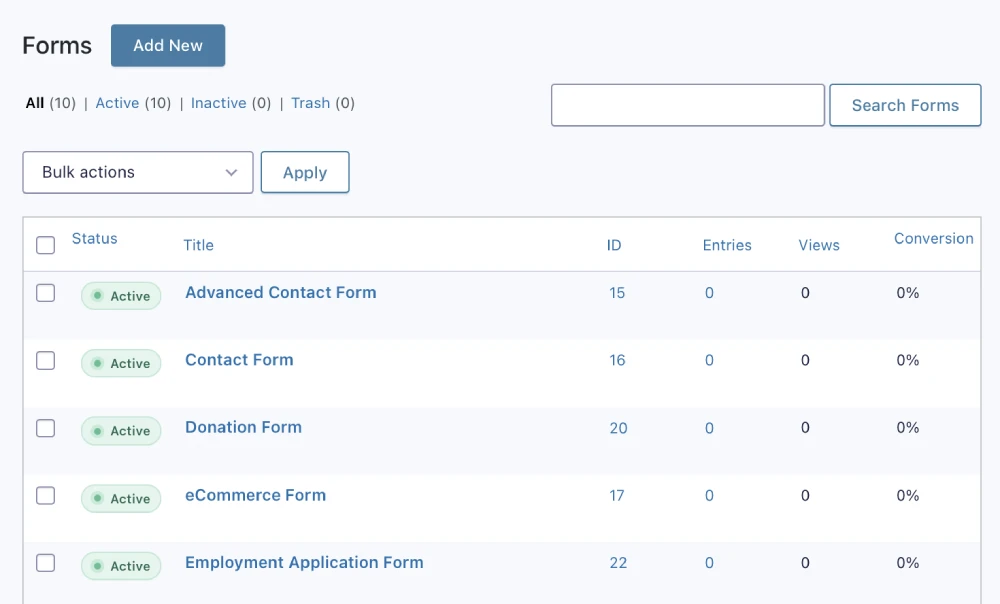
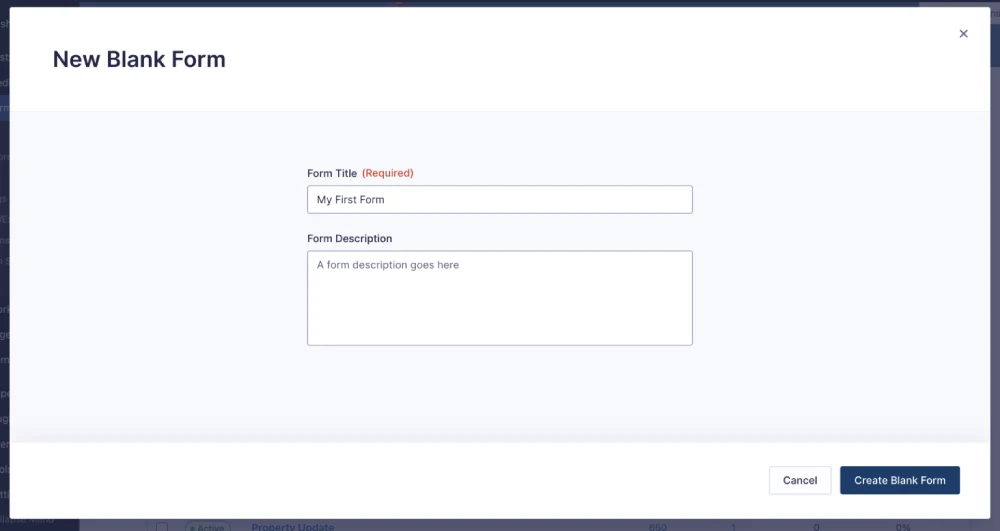
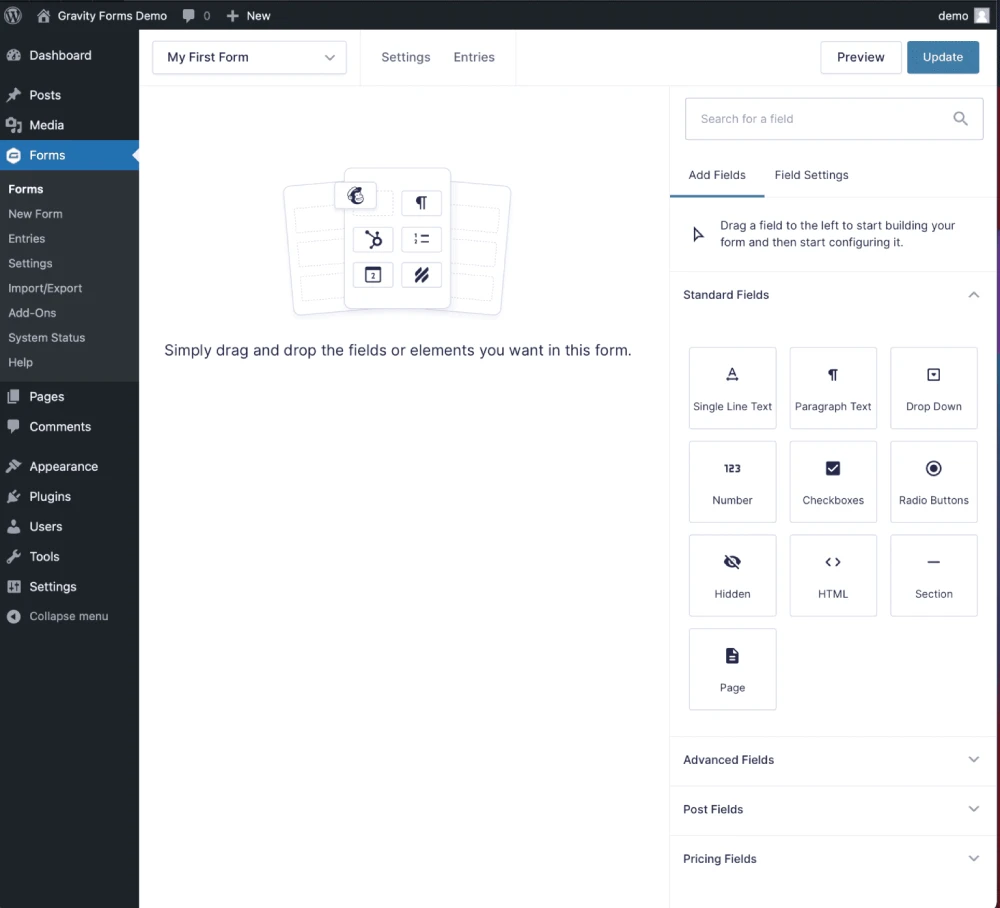
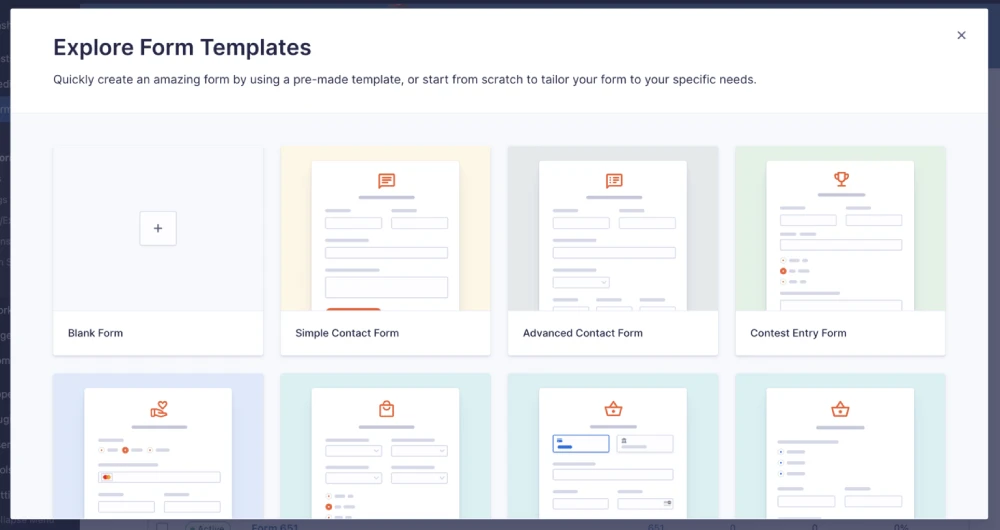
Gravity Forms is the advanced and flexible forms plugin. Create unlimited different types of forms with absolutely no programming skills required. You can use the built-in form blocks or start from scratch and build your own. Any combination of fields, validation rules, and submission options is possible.
You can have as many forms on your site as you need, and each form can be used in any way you like. Add a contact form to the “Contact Us” page of your website, create an application form for job applicants, or add a product catalog to your “Online Store.” You’ll find dozens of possible uses for Gravity Forms beyond collecting simple contact information from visitors.
Gravity Forms is developed by Rocketgenius.
Features & Functionality
- 30+ Ready to Use Form Fields: It has over 30 ready-to-use form fields. You can select from a wide range of form fields like drop-down, checkbox, email address, file uploads, etc.
- Limit & Schedule Forms: Create forms that are only available during certain times, or limit submissions to a maximum number of responses.
- WordPress Post Creation: Don’t bother with a separate form to create your posts. Gravity Forms can save post submissions as new WordPress Posts, giving you more control over your site’s content and providing a seamless editing experience for end-users.
- Multi-Step Forms: Create multi-page applications that collect information step-by-step in sections.
- Integrations: It Integrates with ActiveCampaign, MailChimp, PayPal, Stripe, Authorize.net, Slack, Twilio, Highrise, Freshbooks, Dropbox, Zapier and so many more.
- Fight Spam: Use the ReCaptcha functionality and reduce spam signups by 99% or more.
- Email Notifications: You can be notified via email any time someone submits a form on your website.
- AJAX Support: Make forms work without page reloads Add Ajax-powered advanced features like live search, remote validation, and much more with just an extra bit of configuration. You can even customize the appearance of your Gravity Forms with CSS!
- Responsive Design: Responsive Design ensures that no matter how large or small your visitor’s screen, your form will display correctly.
- Conditional Logic: Use Gravity Forms conditional logic to display or hide fields based on user response.
Screenshots
Frequently Asked Questions
Is Gravity Forms free?
No. The core Gravity Forms plugin is a premium product. Current plans start at $59/year for Basic, with Pro at $159/year and Elite at $259/year.
Does Gravity Forms work with WooCommerce?
Gravity Forms can be used alongside WooCommerce and can handle payment and product/order-related workflows through its payment integrations and add-ons. However, Gravity Forms is primarily a form builder rather than a replacement for WooCommerce.
Can Gravity Forms accept payments?
Yes. Payment integrations include Stripe, PayPal, Square, Mollie, and 2Checkout, depending on the license and add-ons.
Can I connect Gravity Forms to a CRM?
Yes. Gravity Forms supports CRM integrations including Salesforce, HubSpot, Zoho CRM, Agile CRM, and Capsule CRM, while Zapier can extend connectivity to many additional services.
What are the minimum system requirements?
Gravity Forms currently recommends PHP 7.4+, MySQL 5.7+, and the latest version of WordPress.
Is Gravity Forms good for business websites?
Yes. It is particularly well suited to businesses that need lead-generation forms, quote requests, registrations, surveys, payment forms, CRM integrations, and automated workflows.